
 Automatic Release of Client Applications
This article focuses on how to flexibly utilize host resources on Zadig for compiling and publishing Android and iOS apps.
# Pre-Operation: Integrate Host as Build Node
First, you need to integrate host resources on Zadig so that Zadig workflow tasks can use the host as a build node. The specific integration process is as follows:
Step 1: On Zadig, go to "Resource Configuration" > "Host Management" > Add Host, and fill in the necessary information below.
- Host Name: The name used to identify the host
- Tags: Workflows can use tags to restrict task execution to specific hosts
- Schedule Workflow Tasks: Select
Yesto allow workflow tasks to be scheduled to this host - Task Root Directory: The working directory for workflow tasks
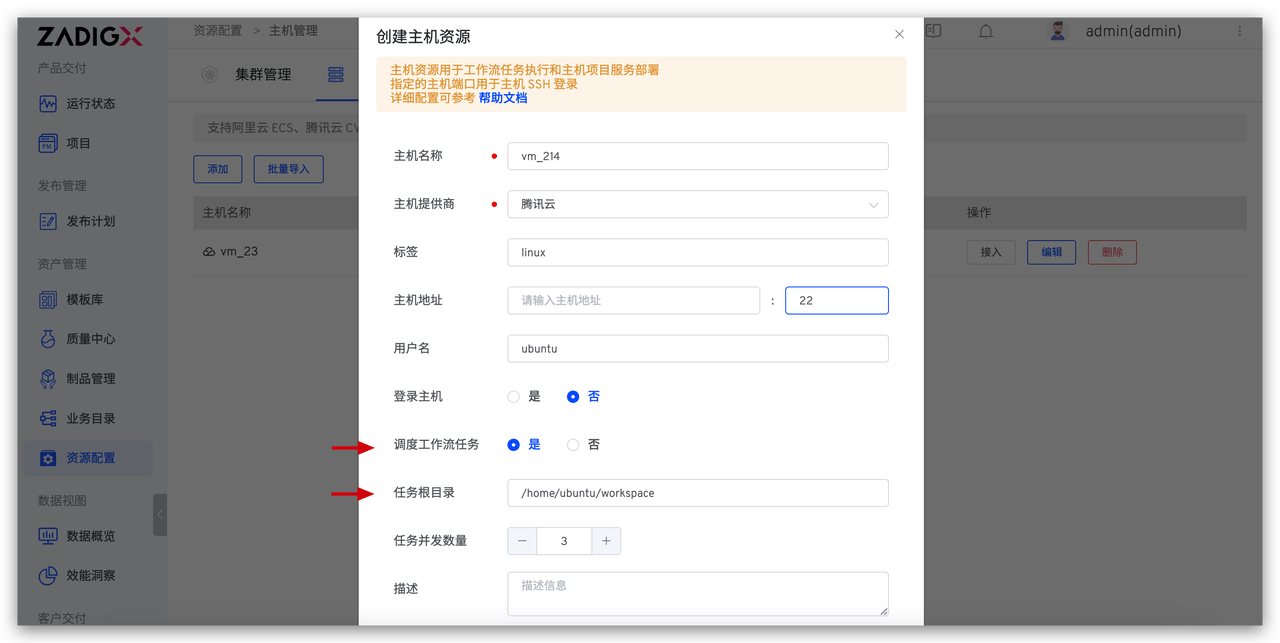
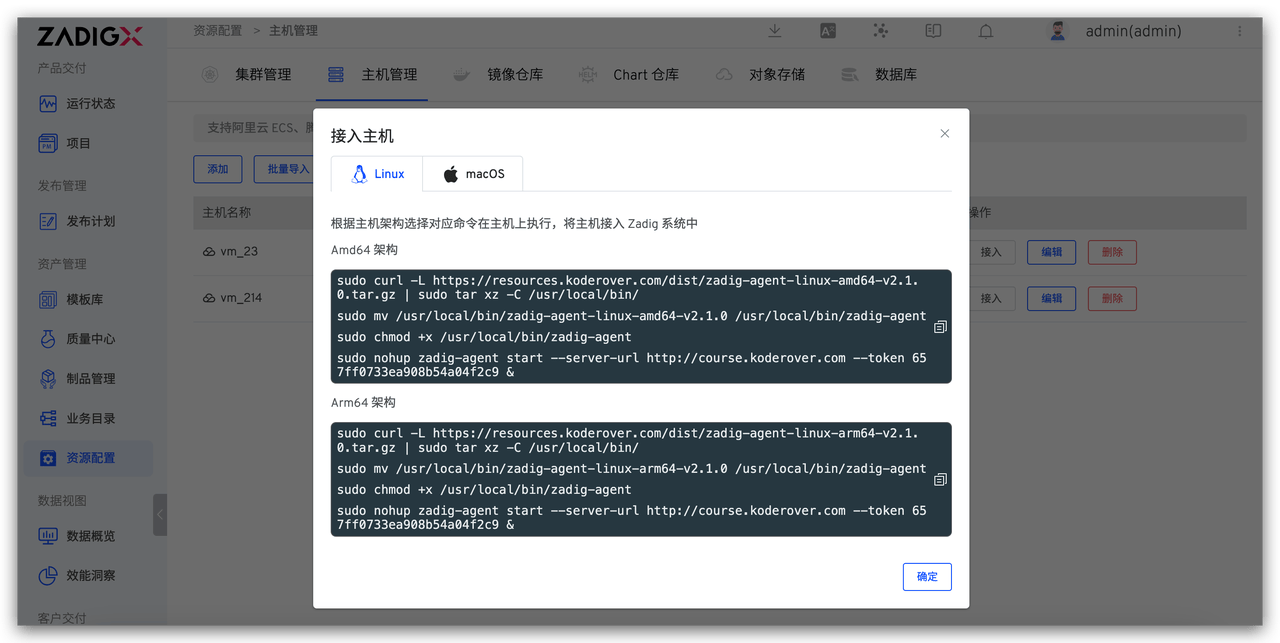
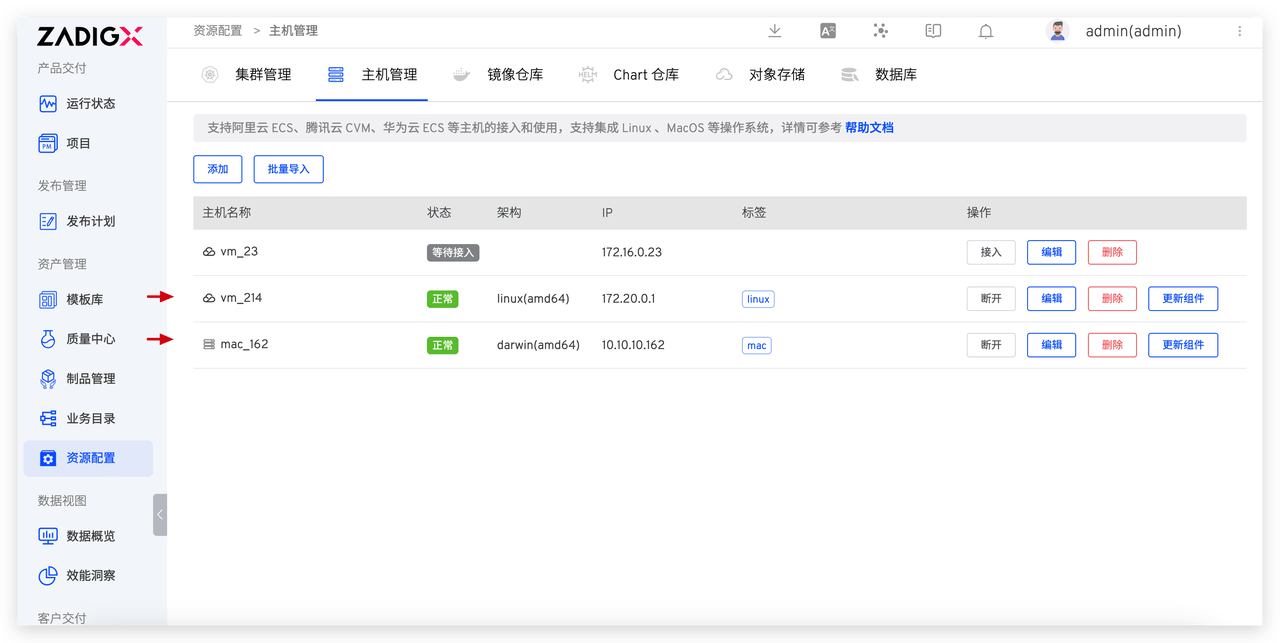
Step 2: Install the Zadig Agent on the host. Choose the appropriate command to execute on the host based on its actual system and architecture. Here, we integrate two hosts (tags linux and mac) for the subsequent build and release of Android and iOS apps, respectively.
# Android App Automated Release
# Configure the workflow:
Step 1: Create a new workflow > Add "Stage" > Add "Task", select "General Task"
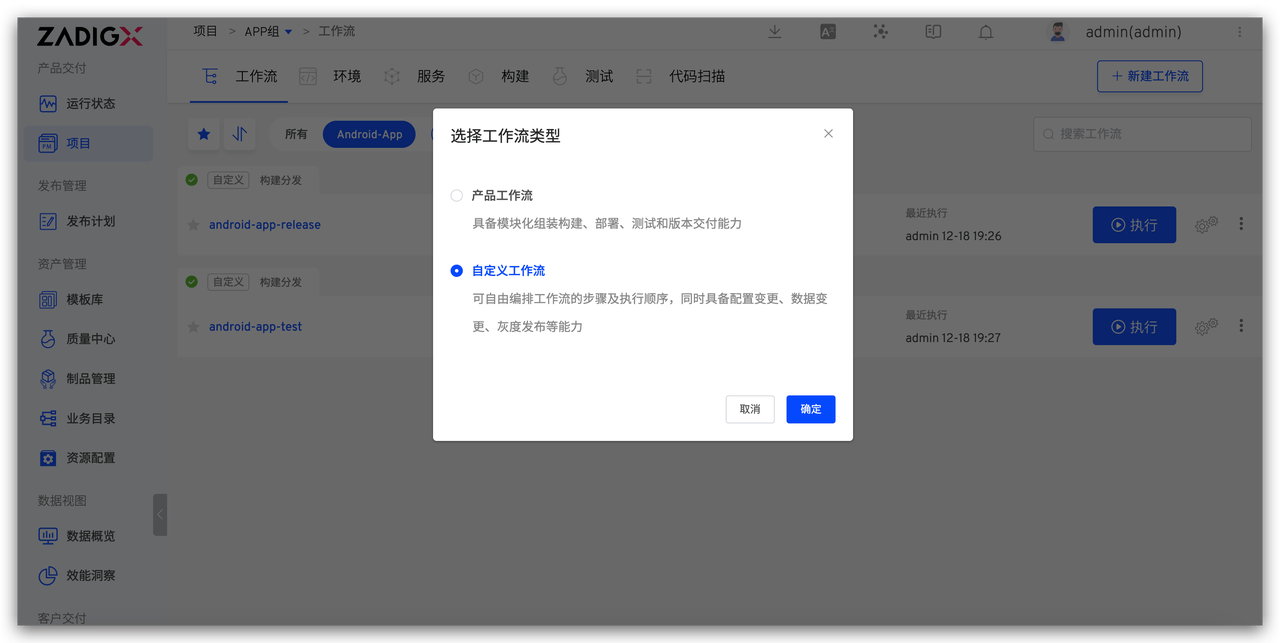
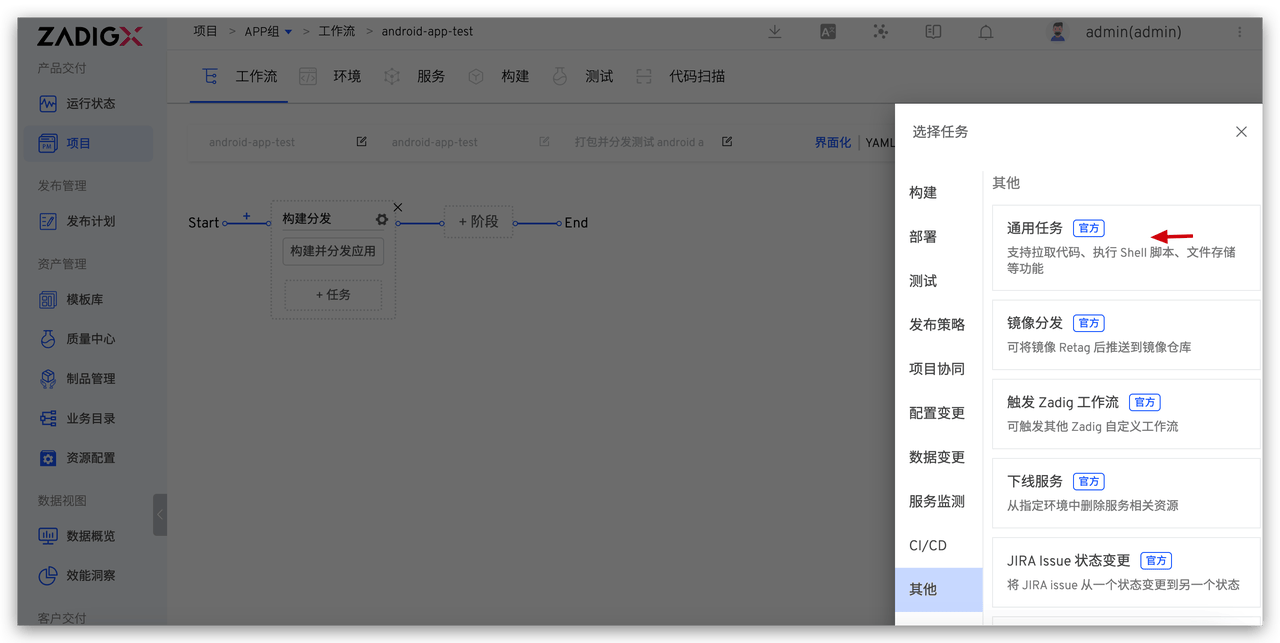
Step 2: Configure the "General Task"
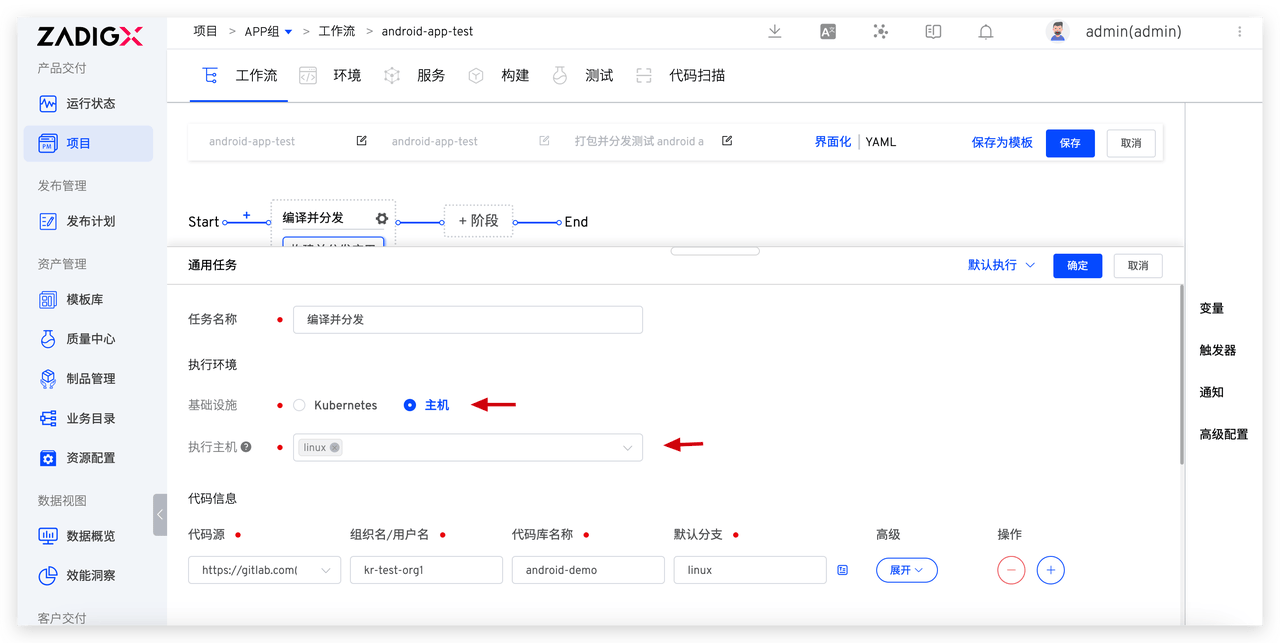
- Infrastructure: Select
Host - Execution Host: Select the pre-configured
linuxhost tag - Code Information: Select the code repository where the Android App is located
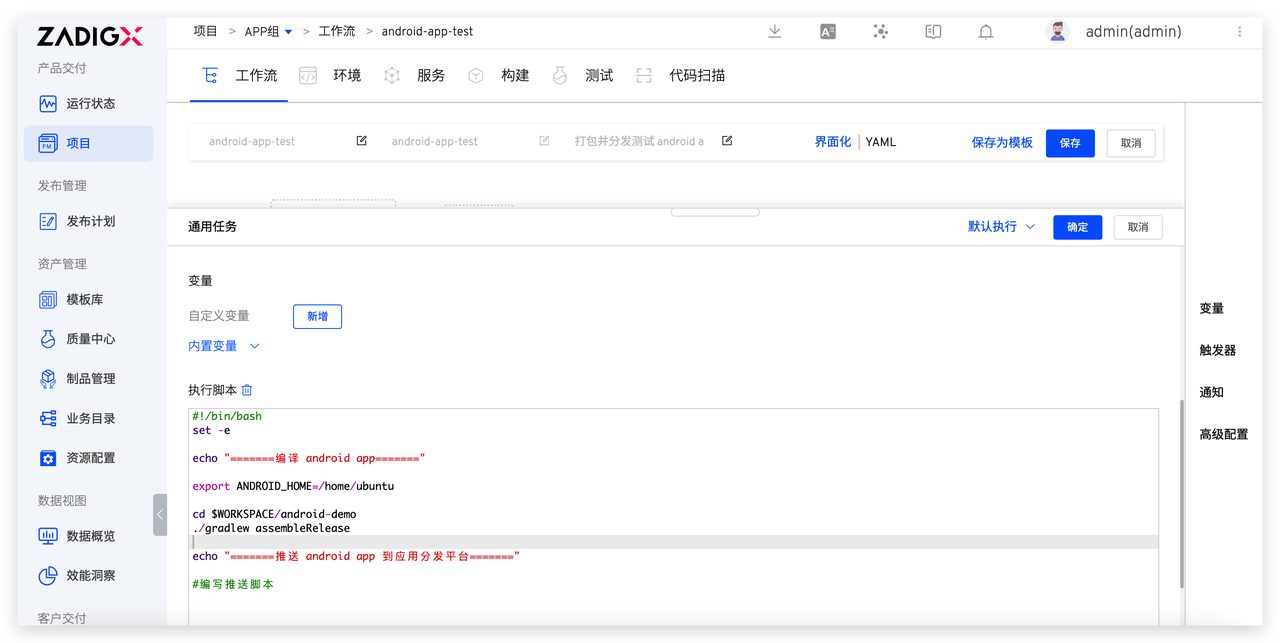
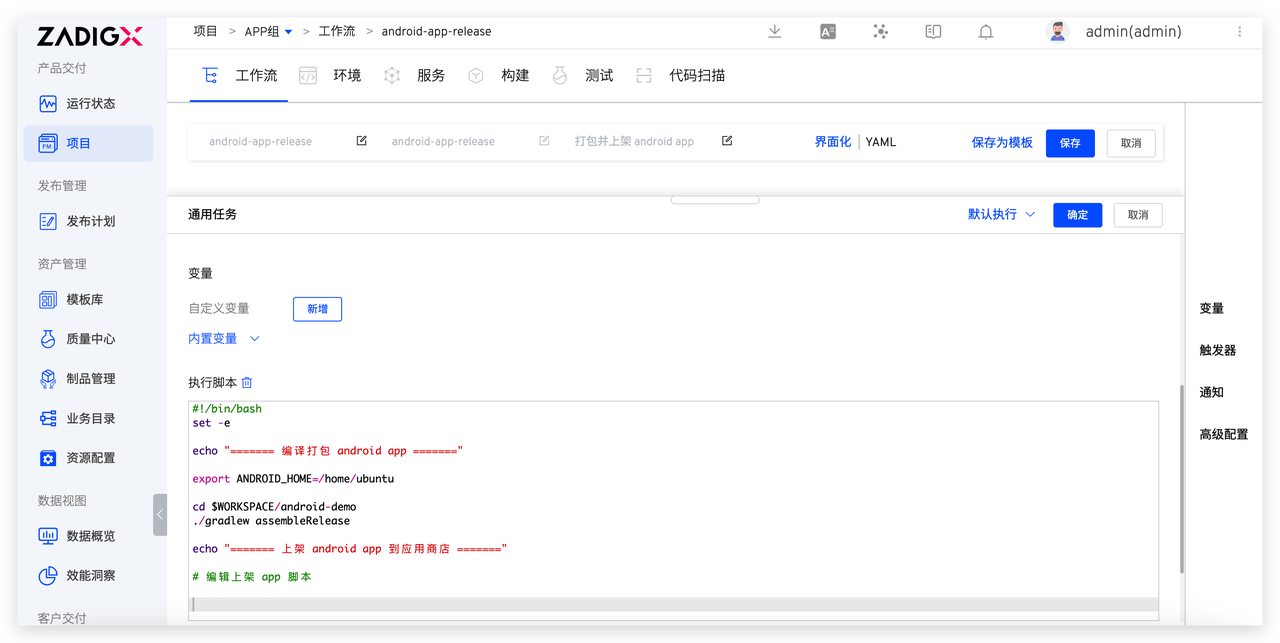
- Execution Scripts: Write different scripts for the testing and release stages to automate the delivery process
- Testing Phase: Includes steps to compile and package the Android App and push it to the application distribution platform
- Release Phase: Includes steps to compile and package the Android App and list it in the app store
# Execute the Workflow
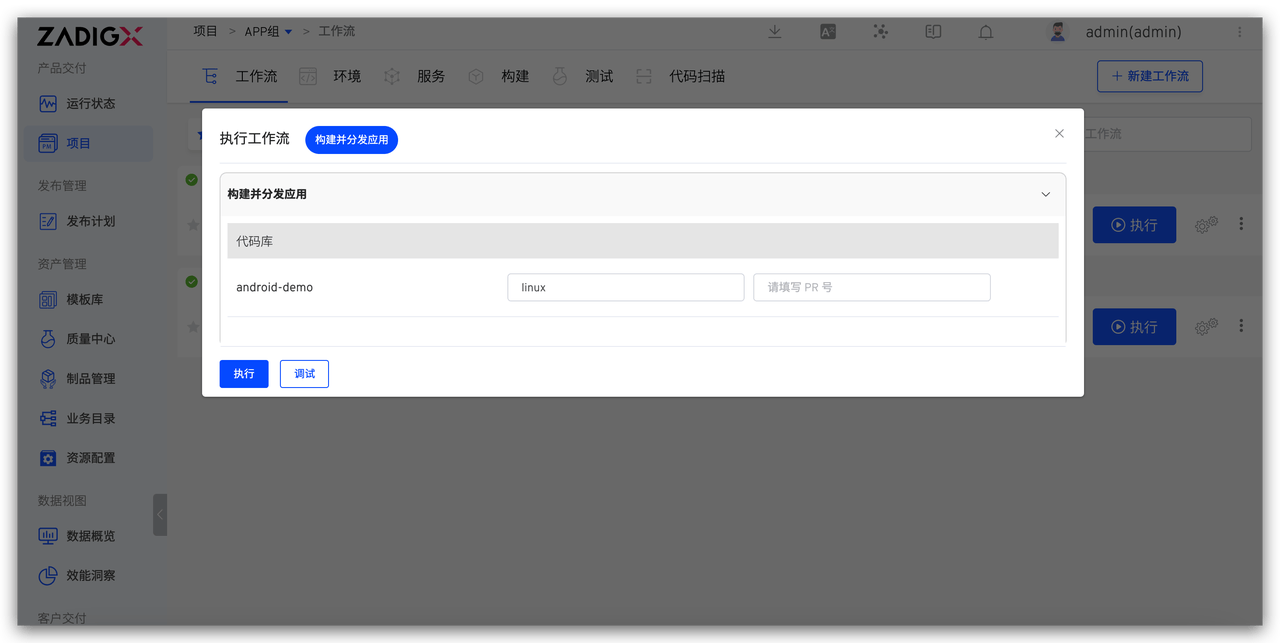
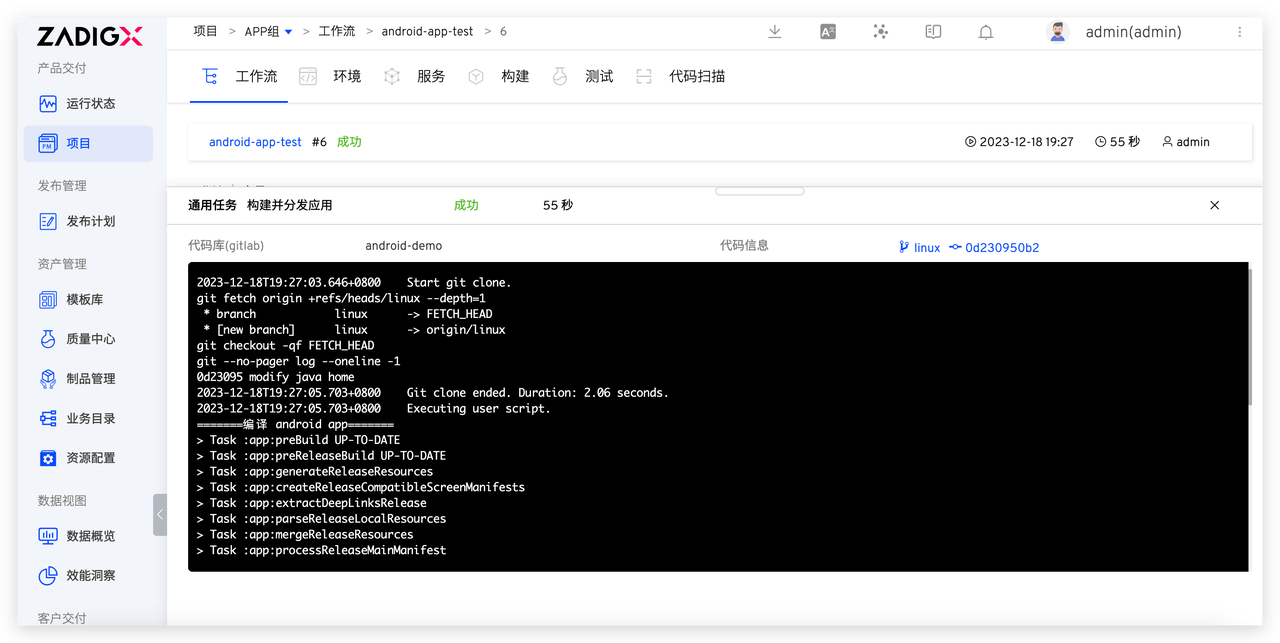
Execute the workflow and select the code information to complete the automated release process for the Android App.
# iOS App Automated Release
# Configure the workflow:
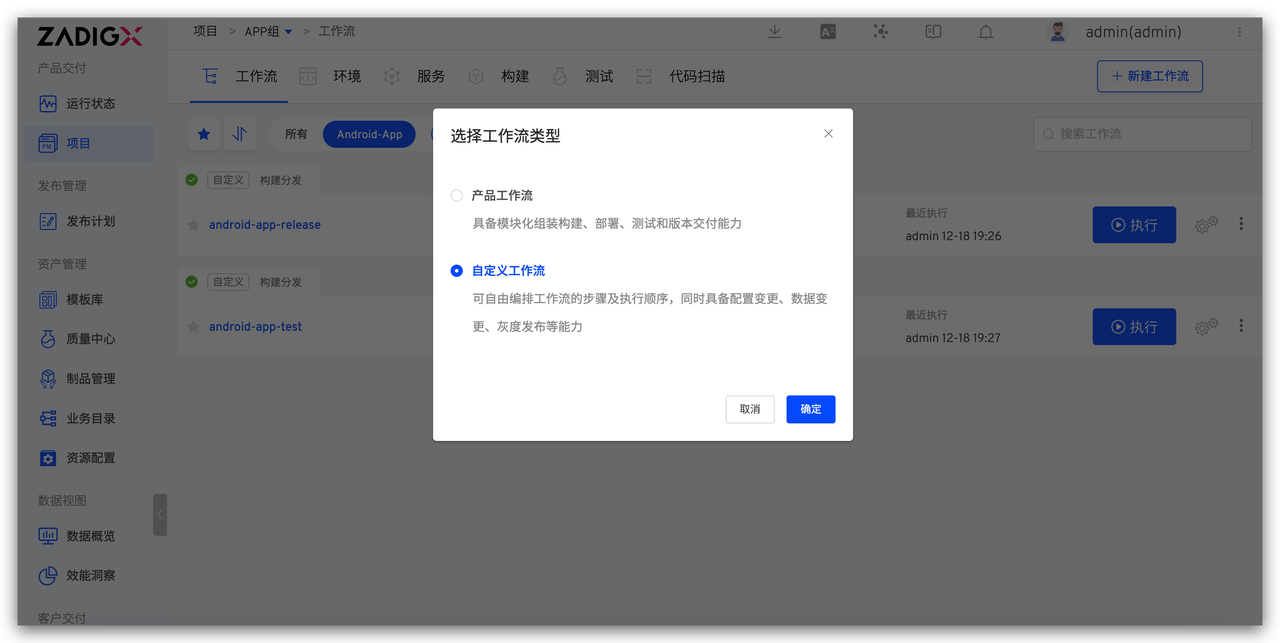
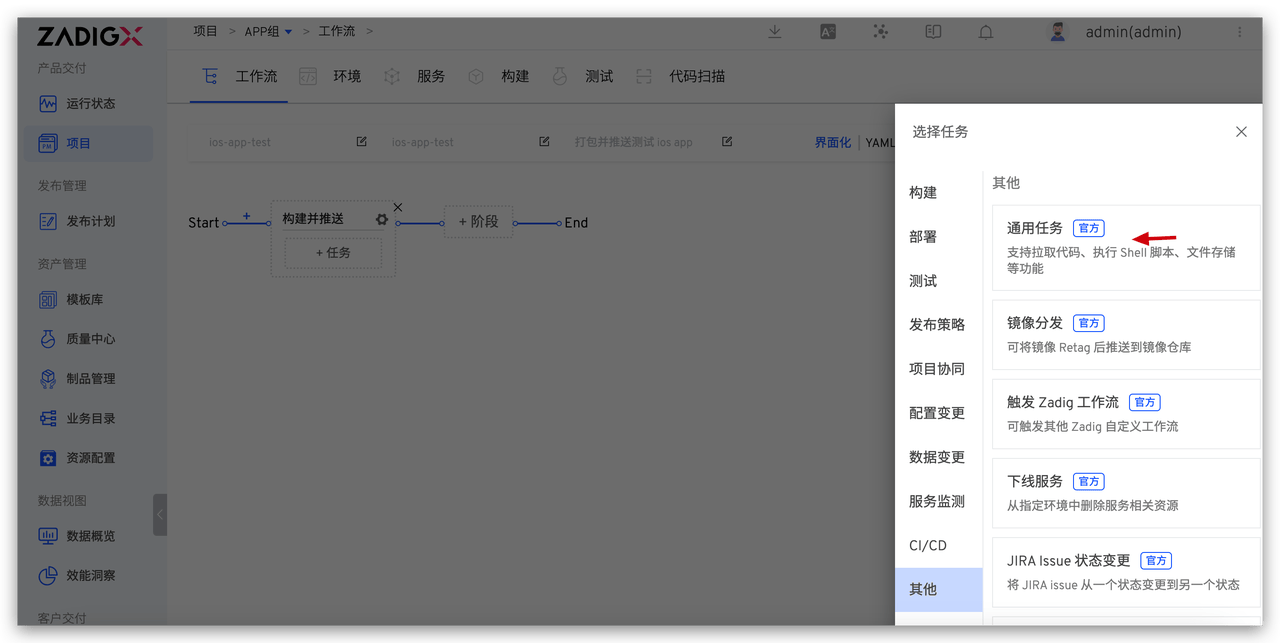
Step 1: Create a new workflow > Add "Stage" > Add "Task", select "General Task"
Step 2: Configure the "General Task"
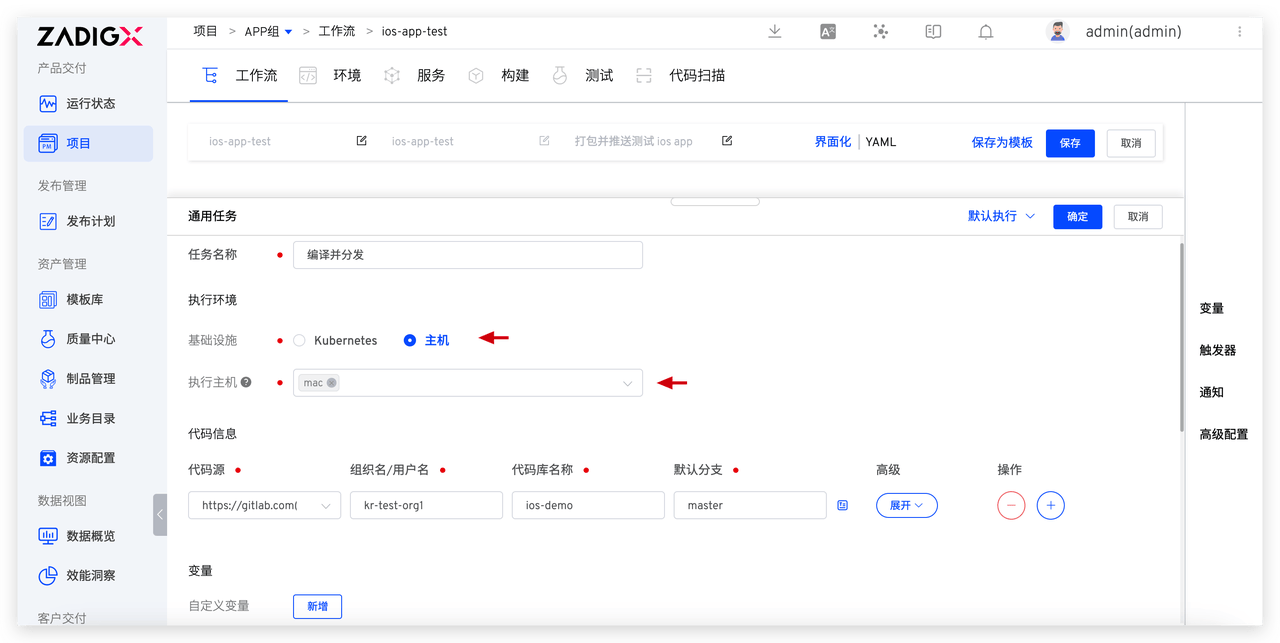
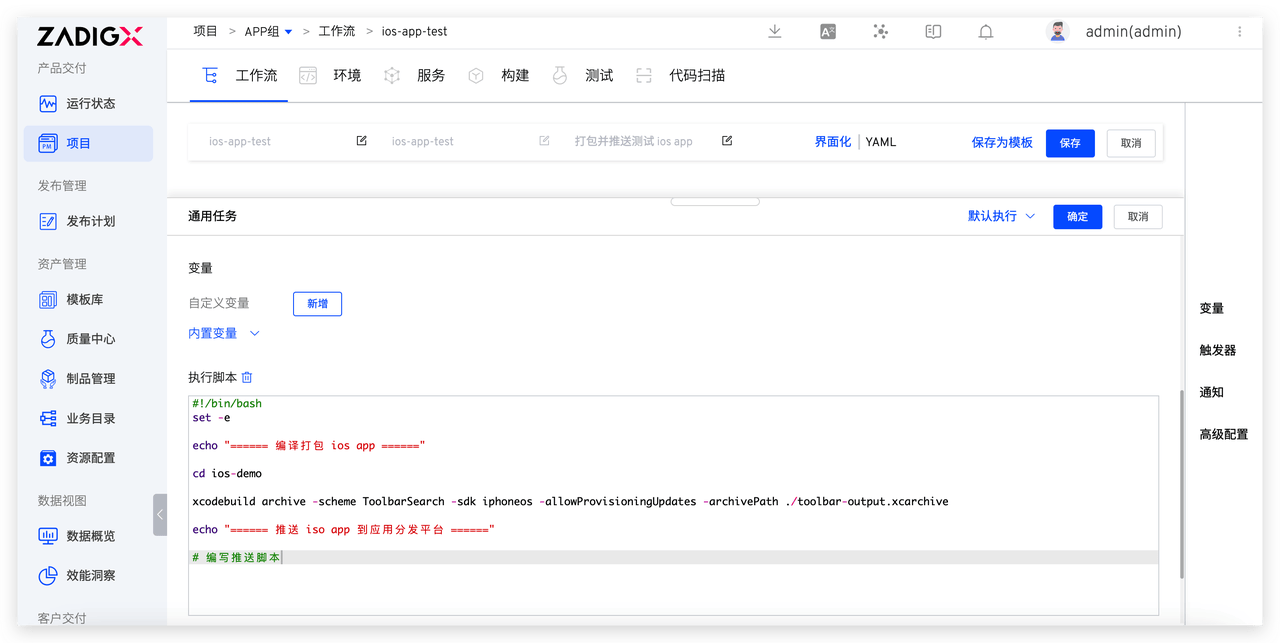
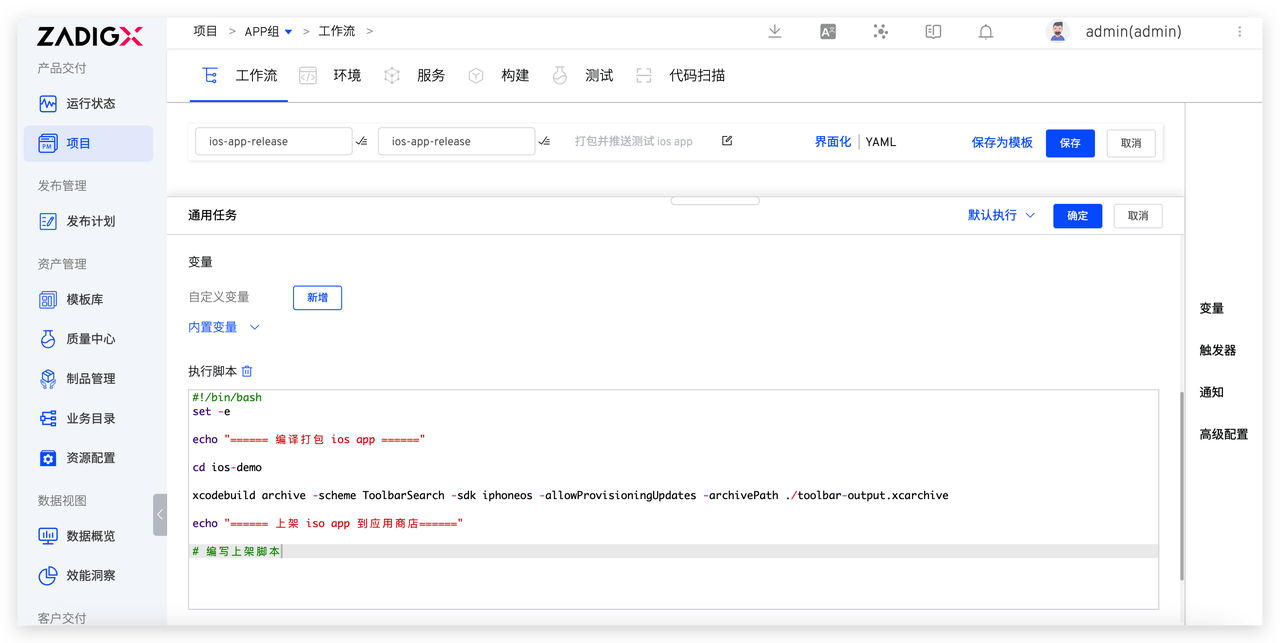
- Infrastructure: Select
Host - Execution host: Select the pre-configured
machost tag - Code Information: Select the code repository where the iOS App is located
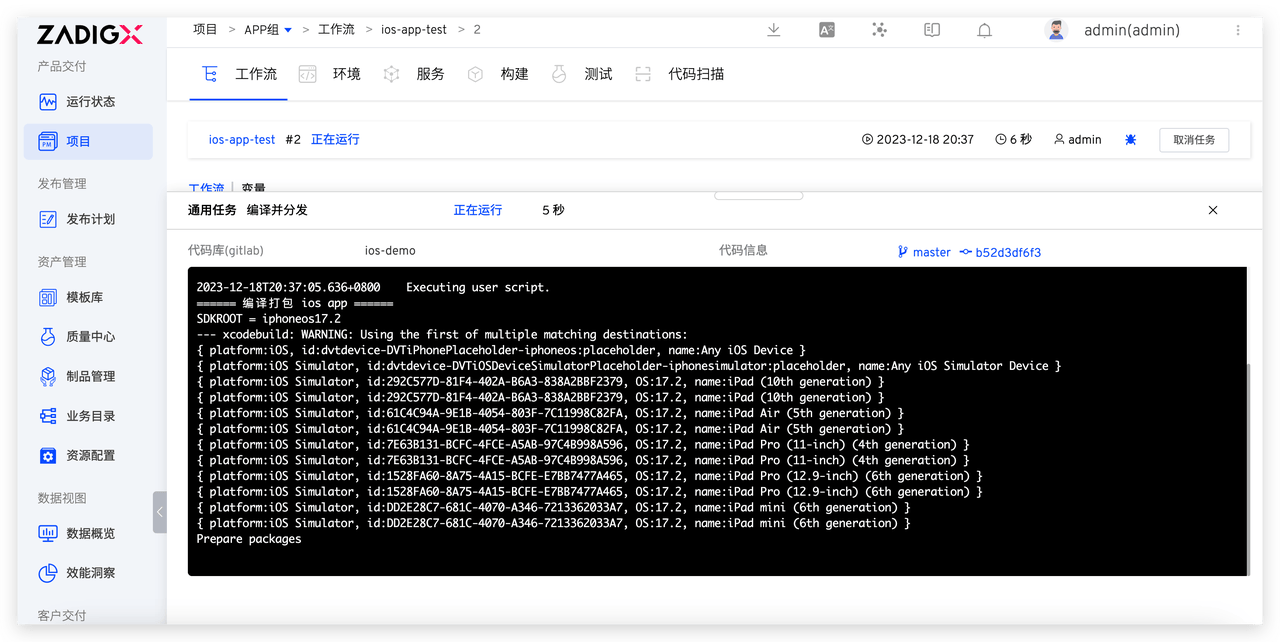
- Execution Scripts: Write different scripts for the testing and release stages to automate the delivery process
- Testing Phase: Includes steps to compile and package the iOS App and push it to the application distribution platform
- Release Phase: Includes steps to compile and package the iOS App and list it in the app store
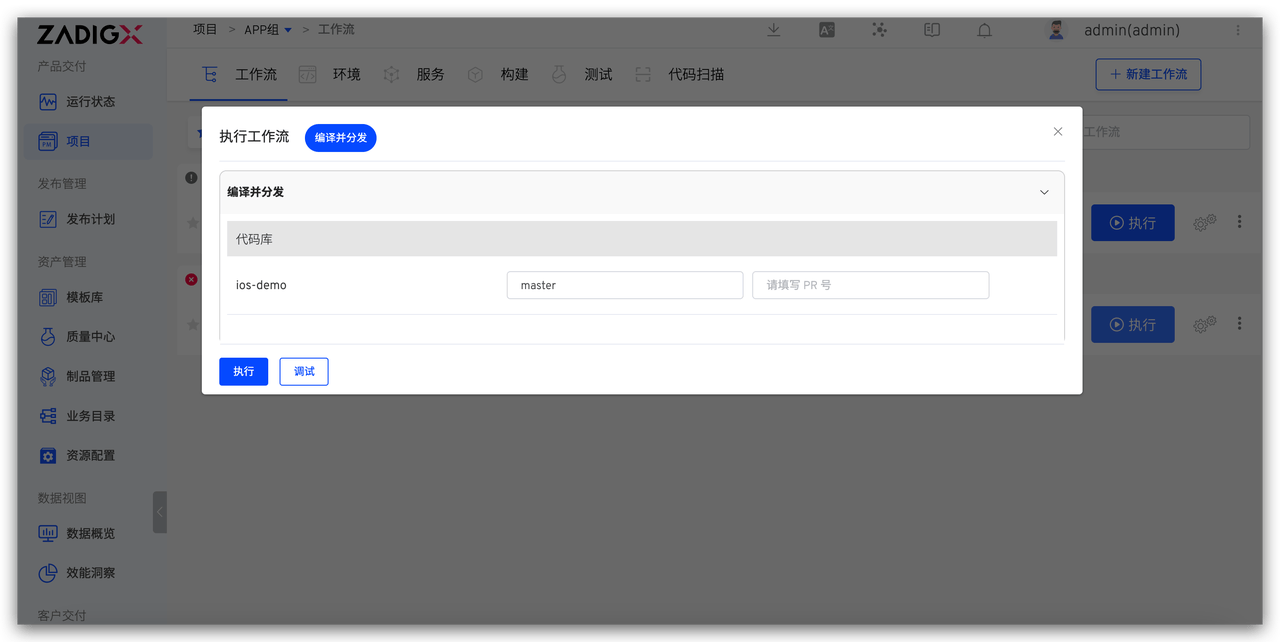
# Execute the Workflow
Execute the workflow and select the code information to complete the automated release process for the iOS App.
The upcoming version of Zadig will support Windows hosts as build nodes to meet the needs of building and releasing Windows applications. Stay tuned..

